
File Analysis

File analysis
In this section we will show how to indentify files that does not have any extensionsFiles in folder
We located a folder containing several files, where the file extension is unknown

In order to find the file extension we are going to use HxD to inspect the headers and footer of each file.
**file 1 "2D3Fa2a":**
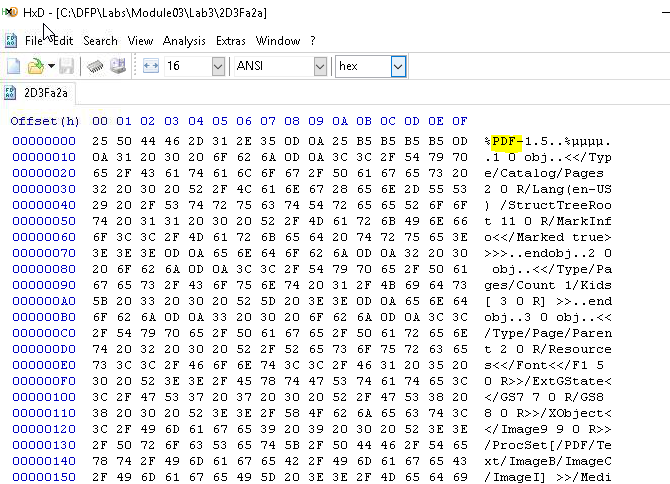
off the bat, we can see this is a pdf file, from the ascii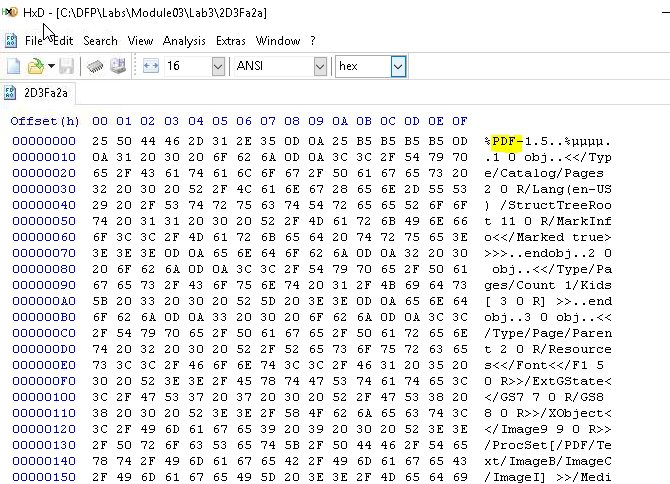
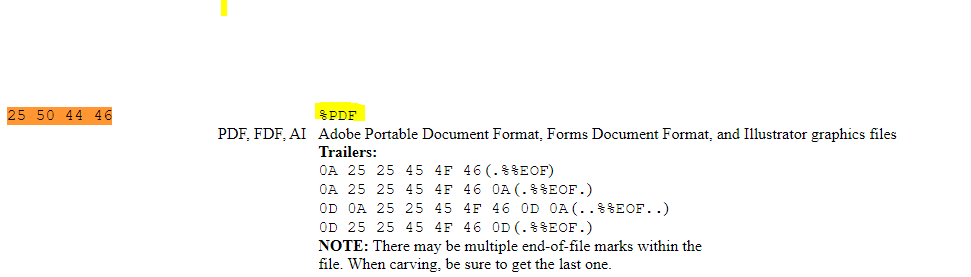
another way to analyse it is to use [https://www.garykessler.net/library/file_sigs.html](https://www.garykessler.net/library/file_sigs.html) here we can compare the firste few hex value to the table in the link
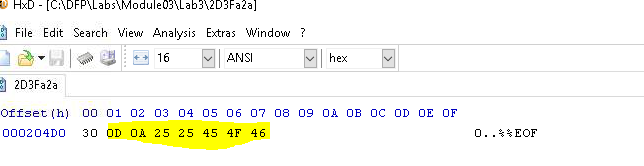
We can see from the table about if the trailers does match our files
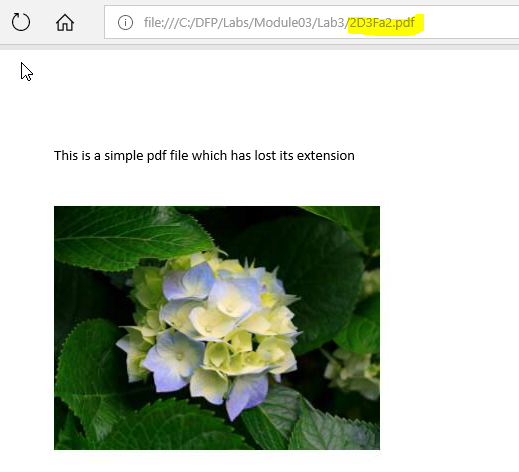
Which it does. This is a PDF file. We can now rename our file with the pdf extension and open it
We found our first flag in user.txt We can download the user.txt and open it on our own machine
**File 2 AW3DXW:**
Using the same tool as previous file
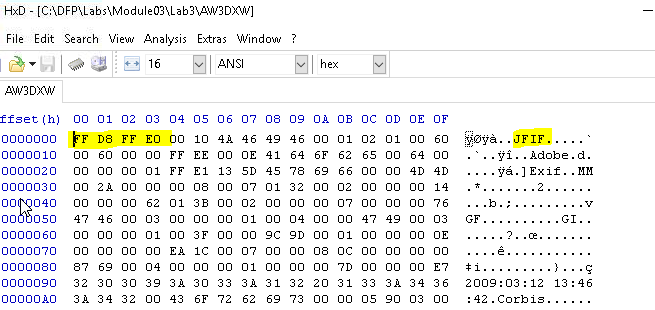
WE investigate futher, usin ls -la we can see hidden files aswell

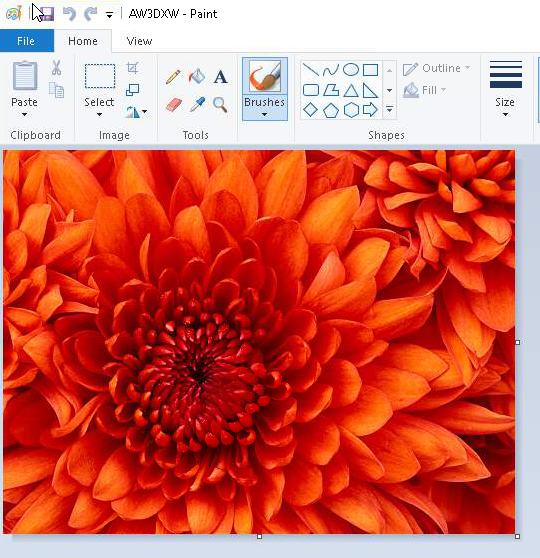
This file is a jpeg.
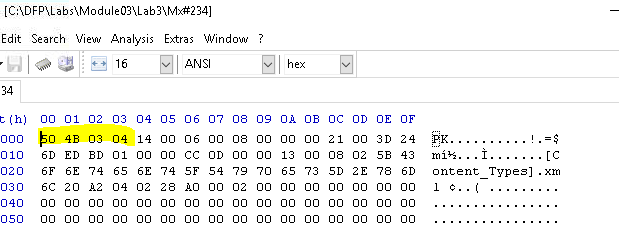
File 3 "Mx#234":
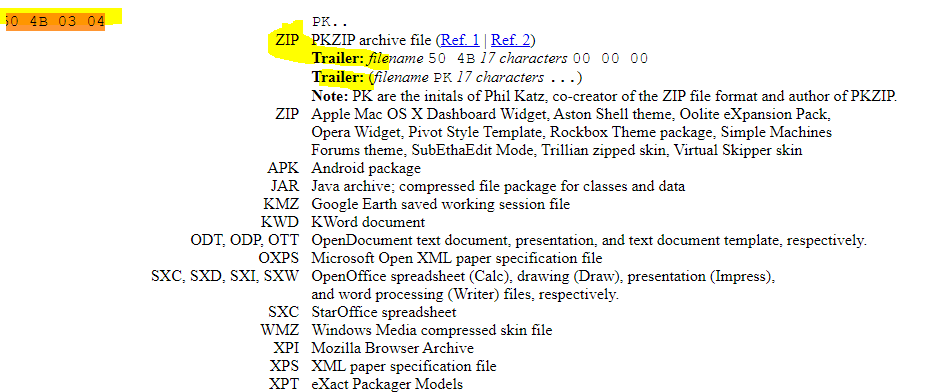
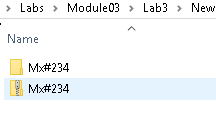
we change to zip extension
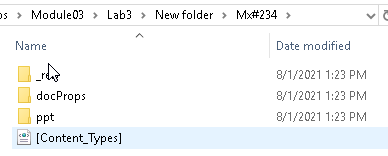

WE do see the reference to ppt, slideshow, so this might be a powerpoint file slide We can see find many PPT string references written within the footer of the file.
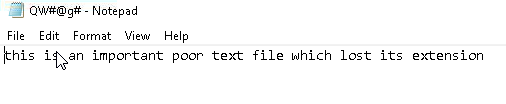
File 4 "QW#@g#:
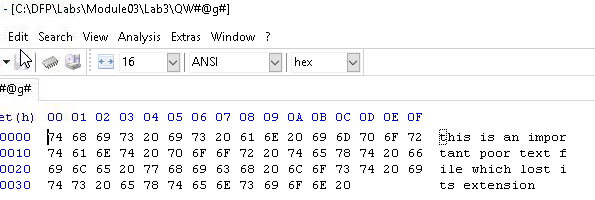
It seems to be a sound file. By taking the hint from the HxD, we can see cleartext in the acsii section. This is an indecator that this could actually be a normal text file. We convert the file to a .txt

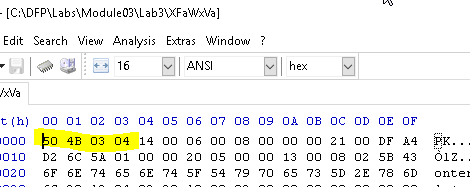
File 5 "XFaWxVa":
As seen before, this was a zip file
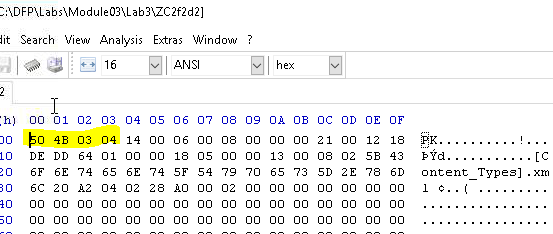
File 6 "ZC2f2d2":

which is also a zip file

This is actually a office word file!
3018977fb944bf1878f75b879fba67cc
Conclusion